Download Report Now
We will send a download link to your email address
Oops! Something went wrong while submitting the form
5 top pain points in the retail eCommerce customer journey
Plus a detailed guide on how to alleviate them and turn into an advantage
Free PDF Report DownloadSee More Details First
Job platform UX UI design
Tenant Management Platform – End-to-End UX/UI Design
Client: NYC-based PropTech Startup
Role: Senior UX/UI Designer
Platforms: Web and Mobile (iOS & Android)
Duration: 6 months
Project Overview
This project aimed to build a complete tenant management ecosystem serving owners, tenants, and handymen. The platform required distinct user journeys for each persona, ensuring seamless workflows and intuitive interfaces across web and mobile applications.
The challenge was to design a scalable, multi-role SaaS platform capable of managing complex property workflows while remaining simple and delightful to use for end-users.
Design Process
1. Research & Discovery
- Conducted stakeholder interviews to understand business goals and user needs.
- Created personas for owners, tenants, and handymen to tailor each experience.
- Ran competitor analysis on leading PropTech solutions (e.g., Buildium, AppFolio) to identify gaps and opportunities.
2. Information Architecture
- Designed site maps and user flow diagrams covering key workflows: rent payments, maintenance requests, scheduling, and communication.
- Developed a modular architecture allowing future features to integrate smoothly.
3. UX Design & Prototyping
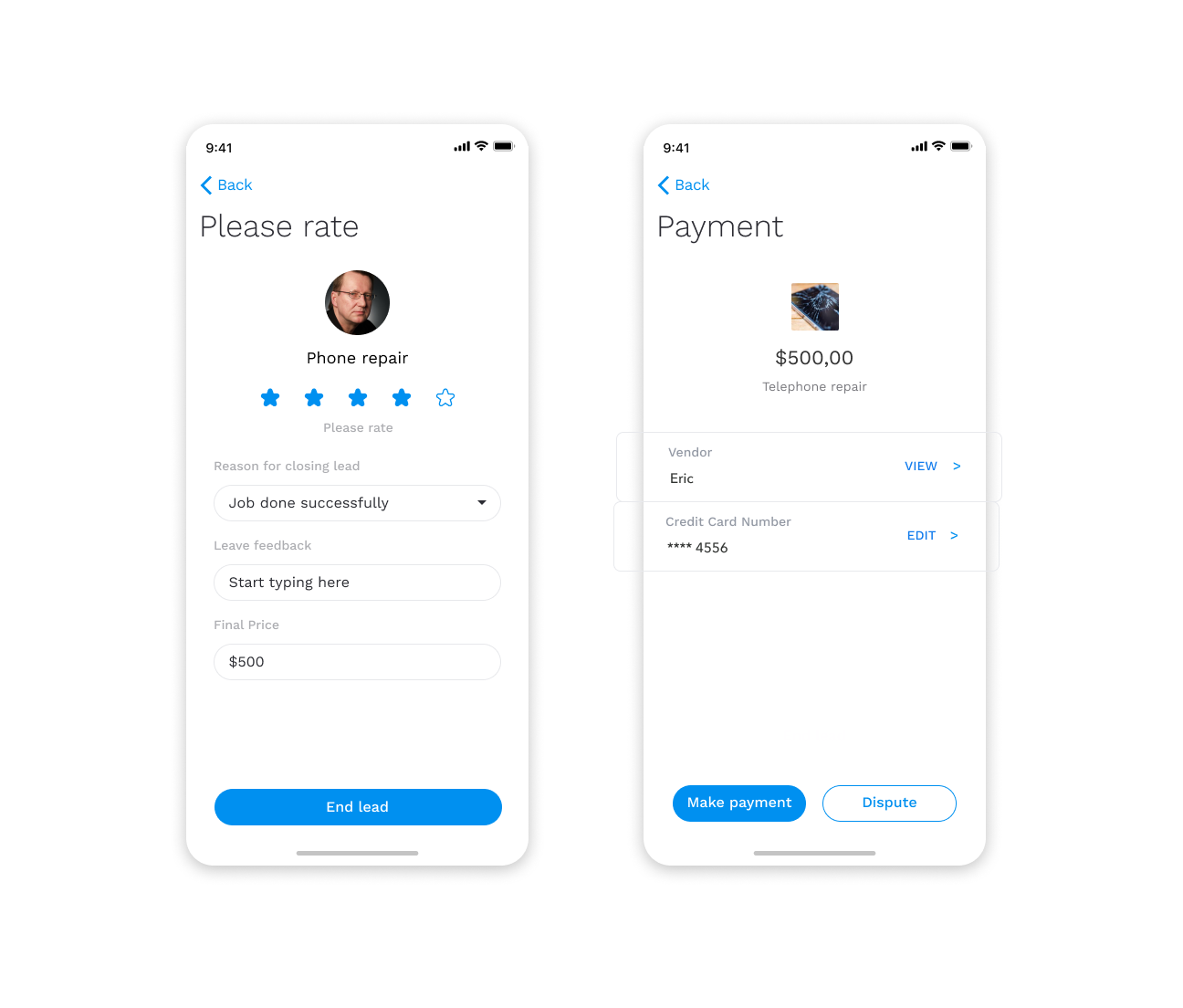
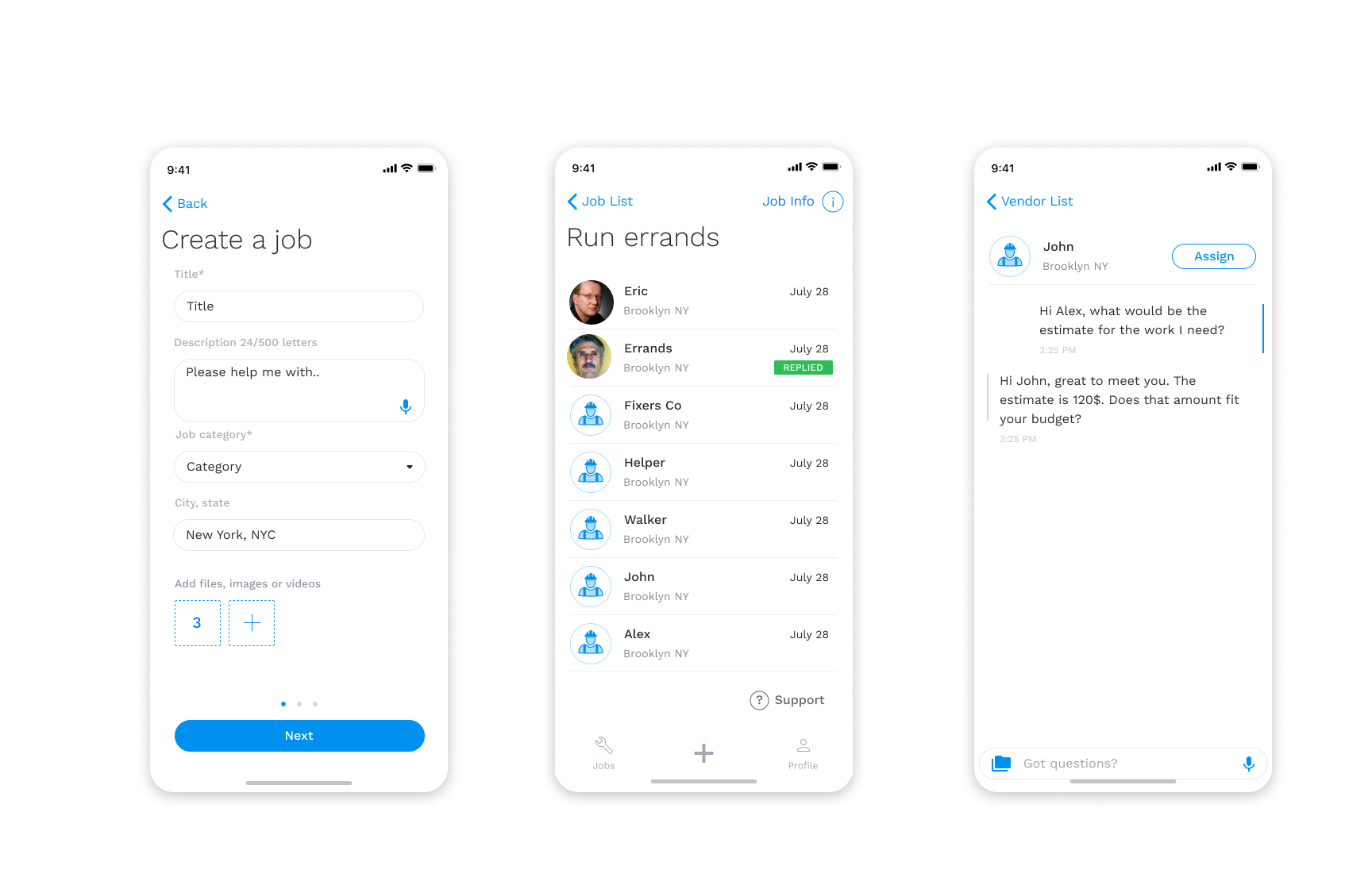
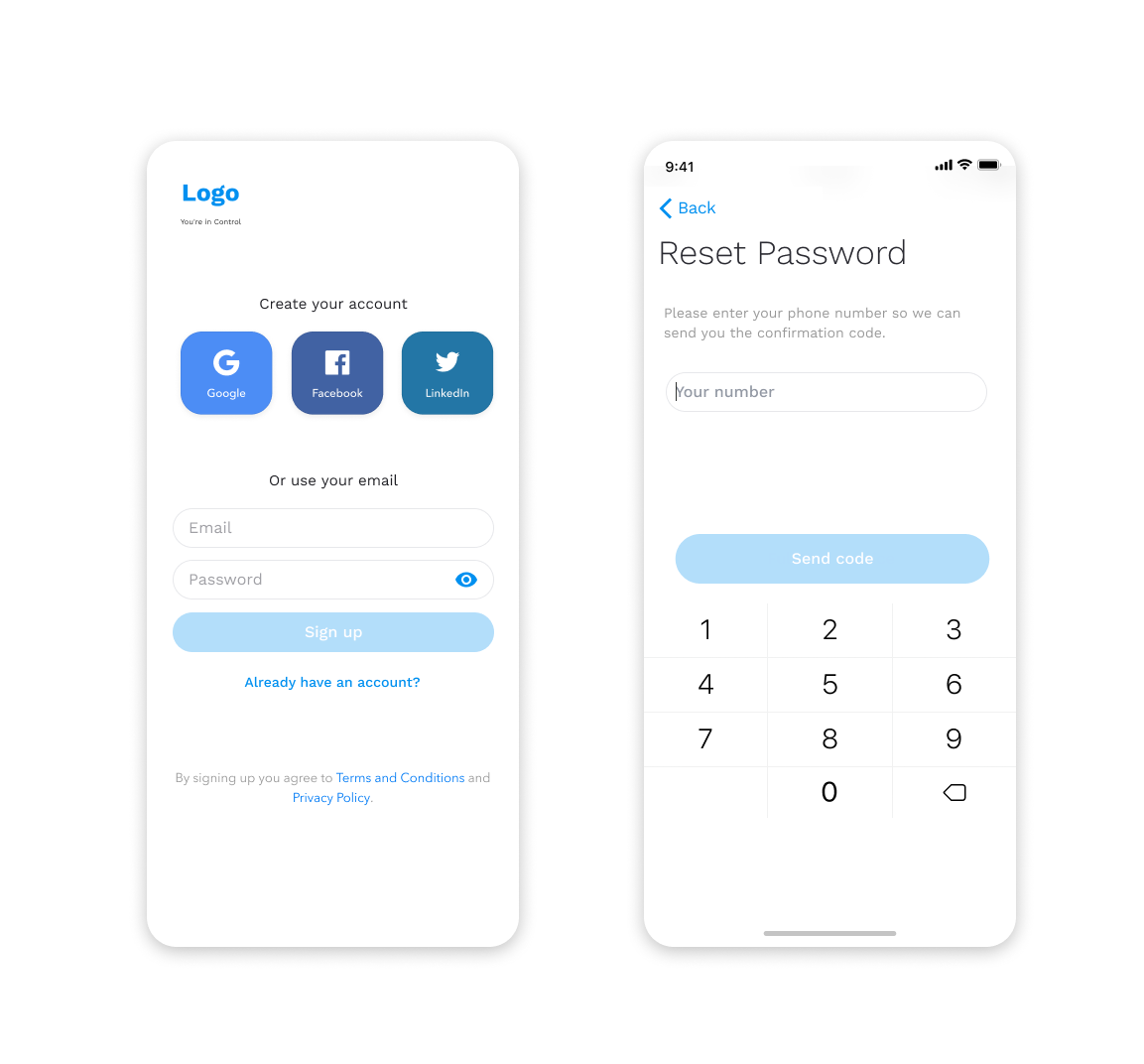
- Designed hundreds of screens for both web and mobile platforms.
- Crafted low-fidelity wireframes to map out core functionality.
- Built high-fidelity interactive prototypes in Figma for user testing and stakeholder reviews.
- Implemented Jobs-to-Be-Done (JTBD) methodology to align designs with real user goals.
4. Visual Design & UI System
- Defined a modern design language with a fresh color palette, typography hierarchy, and accessible components.
- Developed a design system in Figma, enabling the team to maintain consistency across hundreds of pages and future-proof the platform.
- Included responsive design patterns ensuring seamless experiences across devices.
5. Interaction Design & Microinteractions
- Designed intuitive navigation patterns for multi-role dashboards.
- Created microinteractions for smoother user feedback (e.g., success states, loading animations).
6. Collaboration & Handoff
- Worked closely with developers using Figma Dev Mode and Zeplin for efficient handoff.
- Documented UI guidelines and component behaviors for engineering alignment.
Key Features Designed
- Owner Dashboard: Portfolio overview, tenant communication, financial reporting.
- Tenant App: Rent payments, maintenance requests, real-time notifications.
- Handyman Interface: Job assignments, progress tracking, availability scheduling.
Job board
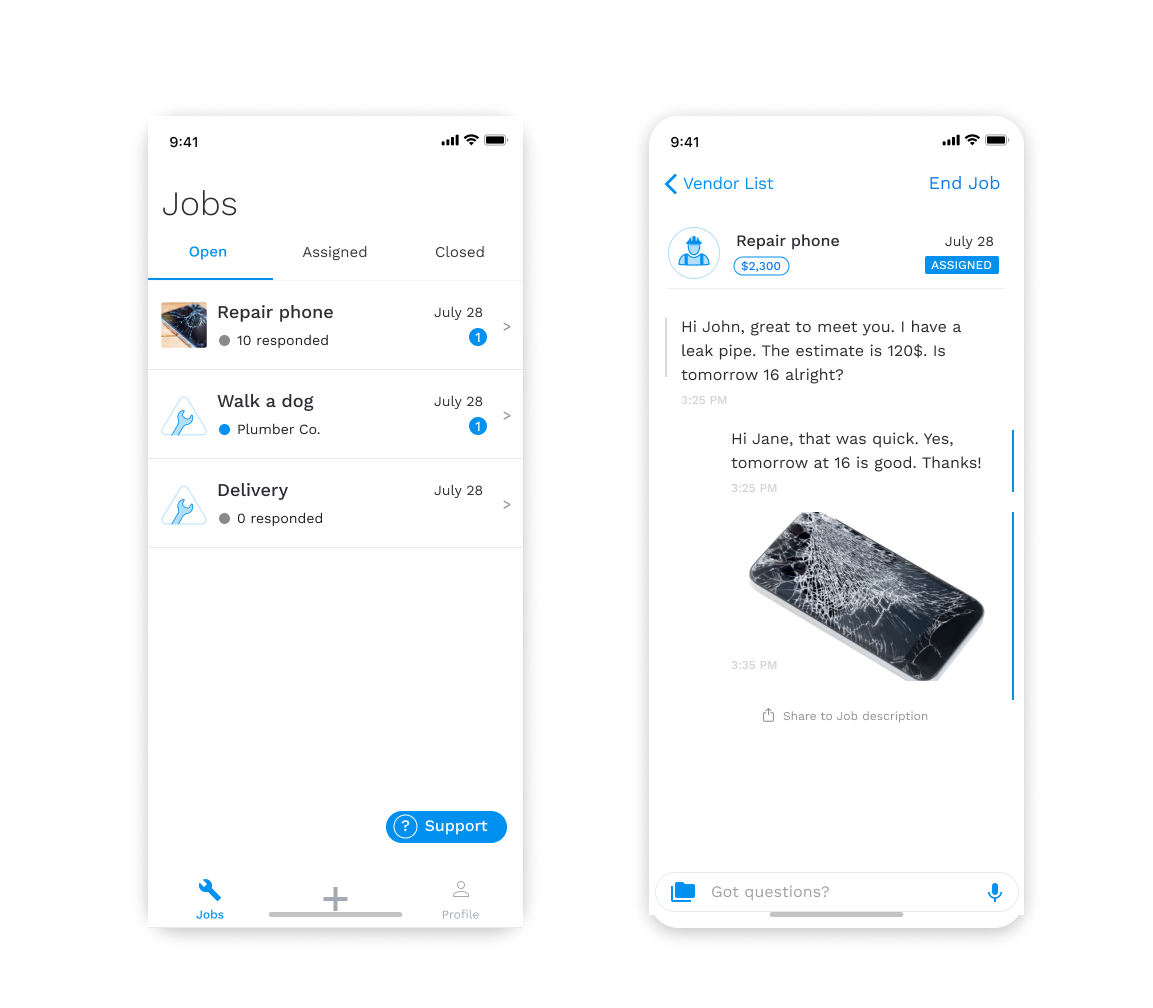
User flows were carefully planned and designed
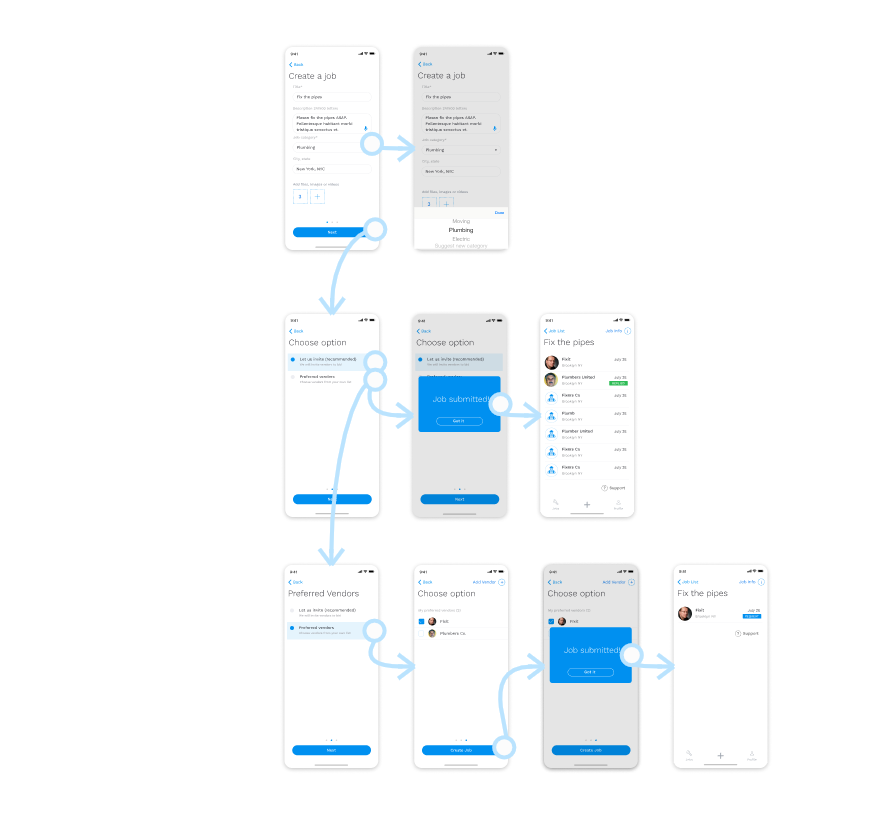
Several solutions were considered for almost every screen and interaction
The app features clean and simple to use interface